
EzyCarto Checkout
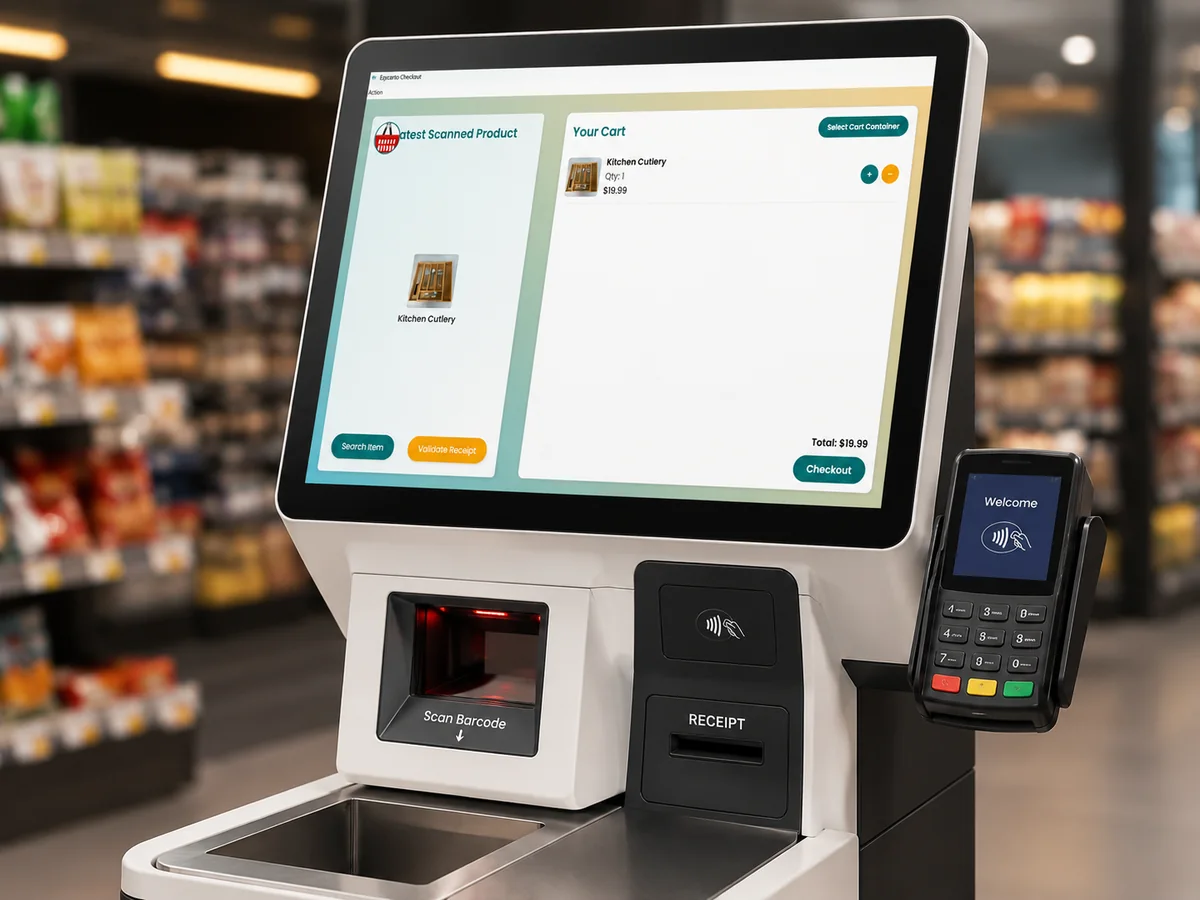
EzyCarto Checkout is the Windows point-of-sale application for staffed cashier lanes and customer-facing self-service stations, with cart restore, supported retail hardware, payments, and receipt validation.
What EzyCarto Checkout does
Retailers operating staffed or self-service checkout stations
EzyCarto Checkout is the Windows station product. It can be described as POS or EPOS depending on the terminology used in a retailer's market, while EzyCarto Checkout remains its official product name. It is separate from the iOS and Android EzyCarto POS app, although both can complete compatible carts and connect to the same retailer setup.
Each station can be set up either for store staff at a cashier lane or for shoppers at a self-service checkout. The selected mode determines which supported scanner, scale, receipt printer, payment reader, approval, and basket-checking workflows are used.
The current public release is distributed as a portable ZIP with a published SHA-256 checksum. The source repository is private; the public repository contains downloadable release assets and notes.
What you can do
Two checkout modes
Use a Windows station as a staffed cashier checkout or a customer-facing self-service checkout.
QR cart restore
Restore a compatible EzyCarto shopper cart without rescanning every product in the basket.
Retail hardware
Configure supported serial or USB-HID scanners and scales, a receipt printer, and a compatible payment reader.
Basket validation
Use configured carrying-container and weight checks in applicable self-service workflows.
Payment and gift value
Take configured terminal payments, record supported cashier-mode cash or manual payment, and apply eligible gift-card value.
Receipt validation
Validate receipt QR codes and reject a repeat validation in supported exit-check workflows.
Requirements
- A compatible Windows device and an EzyCarto business/store configuration.
- Supported peripherals and drivers for any scanner, scale, printer, or payment reader the station will use.
- Connectivity to the EzyCarto services and payment provider for connected checkout workflows.
Limitations and conditions
- Hardware is not included in the EzyCarto subscription and compatibility must be confirmed for the intended deployment.
- The Free business plan does not include the full basket handoff available with eligible paid plans.
- The public release is a portable Windows ZIP; no installer asset is claimed for the current v0.1.5 release.
How it connects to the EzyCarto platform
These are separate applications and surfaces with explicit roles. They connect through the retailer's configured EzyCarto business context.