
EzyCarto Back Office
Manage the retailer setup behind EzyCarto: products, inventory, locations, team access, rewards, communications, activity records, analytics, and subscription-controlled capabilities.
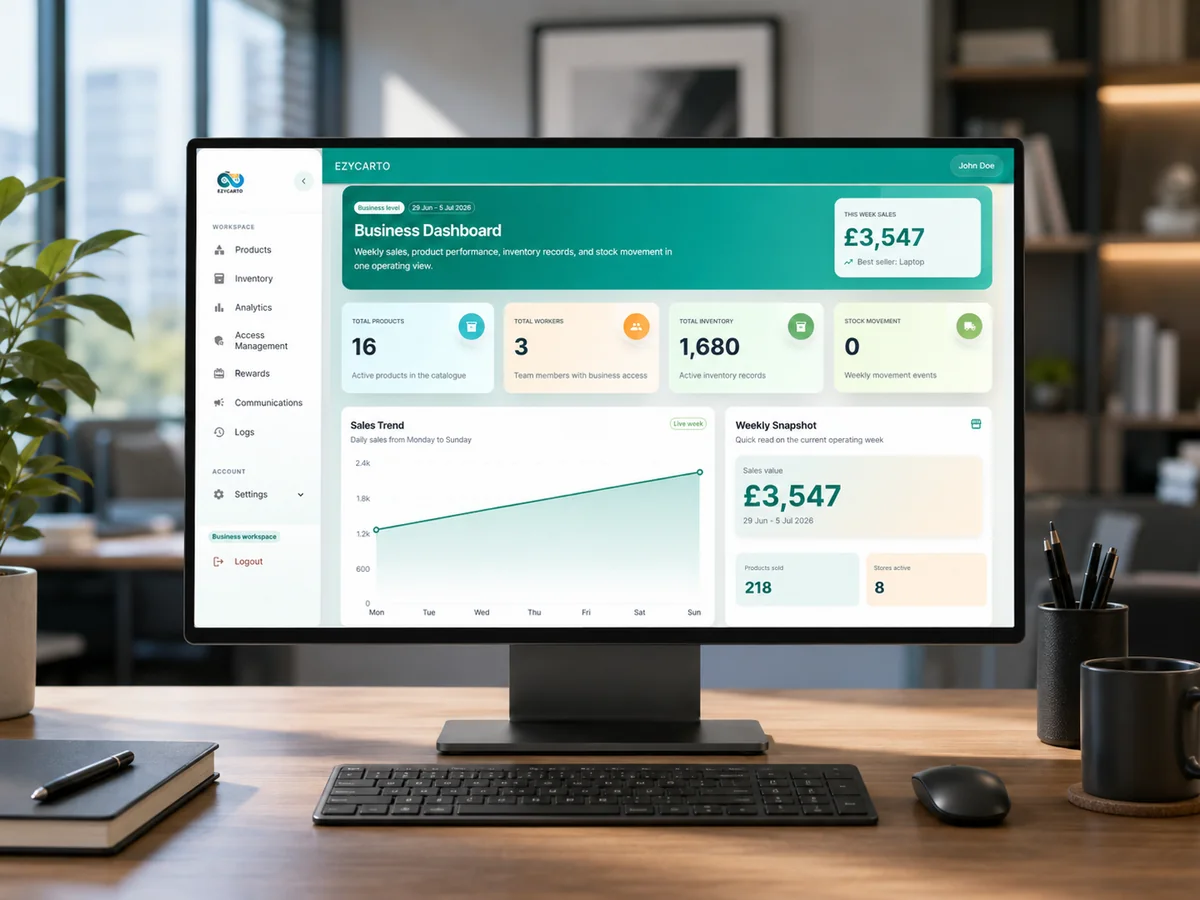
What EzyCarto Back Office does
Business owners, managers, and authorised retail teams
EzyCarto Back Office is the public name used for the authenticated business web console on ezycarto.com. It is a product surface within the EzyCarto platform, not an app-store download.
The workspace provides business-level views and module-specific access for product, inventory, loyalty, analytics, and administration workflows. Available screens and actions depend on the user's role and the selected subscription plan.
Back Office supplies the configured stores, catalogue, inventory context, permissions, rewards, and reporting inputs used by the consumer app and the two merchant checkout products.
What you can do
Products and stores
Configure the business profile, catalogue, products, locations, and store-level context used across the platform.
Inventory operations
View and manage plan-supported inventory records, stock movement, suppliers, and related location workflows.
Roles and access
Assign supported business and module roles so team members see the work appropriate to their responsibilities.
Rewards and communications
Configure supported loyalty, reward, notification, and registered-audience communication workflows.
Analytics
Review sales, product, inventory, and stock-movement information at the depth available to the selected plan.
Activity records
Use supported logs and business records to understand authorised activity across the workspace.
Requirements
- An EzyCarto business account and completed business setup.
- A supported web browser and internet connection.
- The appropriate business or module role for each protected workspace area.
Limitations and conditions
- Location, seat, history, automation, messaging, and insight depth depend on the selected subscription plan.
- AI-assisted insights depend on the quality and volume of the retailer's connected data.
- Back Office is authenticated; the public product page documents it without exposing private business data.
How it connects to the EzyCarto platform
These are separate applications and surfaces with explicit roles. They connect through the retailer's configured EzyCarto business context.